
Download Fax Machine – Free Windows Fax Software for Business & Administration
Introducing Fax Machine: A Reliable Business Fax Solution for Legacy Systems
In the evolving world of digital communication, fax machines may seem like relics of the past. However, in many industries—especially legal, medical, and government sectors—faxing remains a trusted method for sending secure, legally binding documents. Fax Machine, developed by Nicocuppen, is a lightweight yet powerful software designed specifically for users running older Windows operating systems like Windows 98 and earlier.
This free trial version offers a straightforward, no-frills approach to digital faxing, making it an ideal tool for small businesses and professionals still relying on legacy systems. With support for English, Spanish, and German, the software caters to a global audience, particularly in regions such as the United States, India, and Egypt, where fax usage remains high. Despite its age—last updated in 2008—Fax Machine continues to serve a niche but essential market.
The software is remarkably light on system resources, requiring less disk space than the average business application, which makes it perfect for older PCs with limited storage. Its stable performance and minimal setup time allow users to send and receive faxes quickly without the need for expensive hardware. Whether you're digitizing paper-based workflows or maintaining compliance with industry standards, Fax Machine delivers a dependable solution.
With over 44,000 downloads since 2005 and consistent weekly installations, this software has earned a loyal user base. For those still using Windows 98 or similar systems, Fax Machine remains one of the few viable options for secure, efficient fax communication.
Key Features and Functional Benefits of Fax Machine
Fax Machine is built with simplicity and reliability in mind, offering a range of essential features tailored for business and administrative use. One of its standout features is the ability to send and receive faxes directly from your computer, eliminating the need for a physical fax machine. This digital approach reduces paper waste, saves desk space, and streamlines document management.
The software supports multiple languages—English, Spanish, and German—ensuring accessibility for a diverse user base. Users can easily import documents from common formats such as PDF, TIFF, and BMP, making it simple to prepare files for transmission. The interface is clean and intuitive, allowing even non-technical users to navigate it with ease.
Another notable feature is its integration with modems, which enables direct communication with fax lines using standard phone connections. This compatibility ensures that users can leverage existing hardware without additional investment. The software also includes basic scheduling options, allowing users to send faxes at specific times, which is useful for time-sensitive documents.
For record-keeping, Fax Machine automatically saves received faxes to a designated folder, making retrieval quick and efficient. Security is a priority, with encrypted file transfers and password protection for sensitive documents. While the software lacks modern cloud integration or mobile access, its core functionality remains robust.
The version 4.31, released in April 2008, remains stable and bug-free for its intended use case. For businesses still operating on legacy systems, Fax Machine provides a cost-effective alternative to outdated hardware, ensuring continuity in document workflows.
- Send and receive faxes via modem without physical fax machine
- Supports PDF, TIFF, and BMP document formats
- Multi-language interface: English, Spanish, German
- Automated saving of received faxes to user-defined folders
- Basic scheduling for timed fax transmission
- Encrypted file transfers and password protection
- Lightweight design with minimal system requirements
- Compatibility with Windows 98 and earlier versions
How to Install and Use Fax Machine on Windows 98 and Older Systems
Installing and using Fax Machine is a straightforward process, especially for users familiar with older Windows environments. To begin, visit the official website at https://www.nicocuppen.com/faxmachine/ and download the trial version of the software. The file size is small, ensuring quick downloads even on dial-up connections.
Once downloaded, locate the installer file (typically named FaxMachineSetup.exe) and double-click it to launch the setup wizard. Follow the on-screen prompts, choosing your preferred installation directory. The process takes less than two minutes and requires no advanced technical knowledge.
After installation, launch the software from the Start menu or desktop shortcut. The first-time setup will prompt you to configure your modem settings. Ensure your computer has a working fax-capable modem connected and recognized by the system.
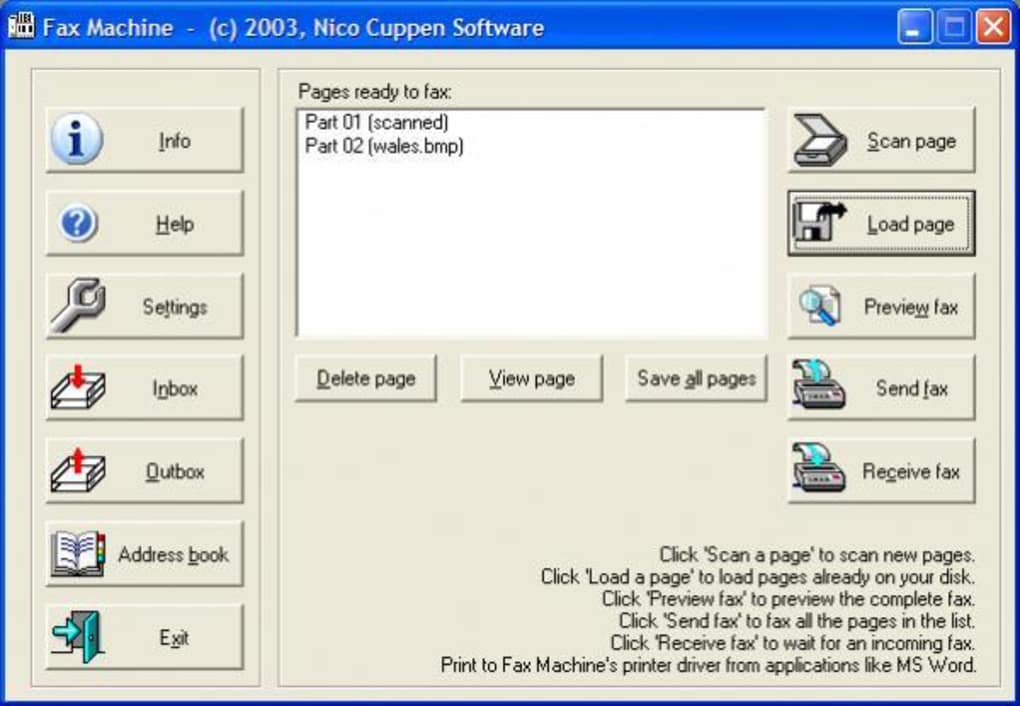
The software will automatically detect the modem and allow you to test the connection. Next, set up your fax number and configure incoming fax settings, such as folder location for saved documents. To send a fax, click the “New Fax” button, browse for your document, enter the recipient’s fax number, and click “Send.” The software will handle the rest.
For receiving faxes, ensure the modem is active and the software is running. Incoming faxes are automatically saved and displayed in the inbox. Regular updates are not available due to the software’s age, but the stable version 4.31 remains functional.
For optimal performance, avoid running multiple resource-heavy applications simultaneously. While Fax Machine lacks modern features like cloud sync or mobile access, its simplicity ensures reliability on older systems. It’s a perfect fit for small offices, home-based businesses, or administrative departments that still depend on fax communication.
Compatibility, System Requirements, and User Experience
Fax Machine is specifically designed for older Windows operating systems, with full compatibility for Windows 98 and prior versions, including Windows ME and Windows NT. This makes it a rare but valuable tool for users still operating on legacy hardware. The software does not support modern platforms like Windows 10, Windows 11, macOS, Android, or iOS, so it’s not suitable for users on current systems.
However, for those with older PCs or industrial machines running outdated OS versions, Fax Machine is a reliable solution. System requirements are minimal: a Pentium-class processor, 16 MB RAM, and 10 MB of free disk space—far below the average for modern software. This low footprint ensures smooth performance even on machines with limited resources.
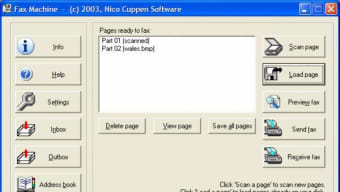
The user interface is straightforward, with clearly labeled buttons and menus. Navigation is intuitive, and help documentation is available on the official site. Users report consistent performance with no crashes or freezes during normal use.
The software handles both sending and receiving faxes without delays, provided the modem and phone line are functioning properly. One limitation is the lack of support for newer fax standards or high-speed transmission, but for basic document exchange, this is not a major drawback. The software is also free to download and use in trial mode, with no hidden fees or subscription models.
While it may not offer the bells and whistles of modern alternatives, its focus on core functionality delivers a dependable experience. For users in countries like the U.S., India, and Egypt, where faxing remains common in official and legal contexts, Fax Machine provides a secure and cost-effective way to maintain compliance and communication.
Pros and Cons of Using Fax Machine
Pros
- Lightweight & low system requirements – Ideal for older PCs with limited RAM and storage.
- Free trial version available – No cost to test functionality before use.
- Simple, intuitive interface – Easy to learn and use, even for non-technical users.
- Supports multiple languages – English, Spanish, and German make it accessible globally.
- Secure document handling – Encrypted transfers and password protection for sensitive data.
Cons
- No support for modern OS – Not compatible with Windows 10/11, macOS, or mobile platforms.
- Outdated software – Last updated in 2008; no future updates or new features.
- Limited features – Lacks cloud integration, mobile access, or advanced automation.
- Dependent on physical modem – Requires a working fax-capable modem and phone line.
- Not ideal for high-volume use – Better suited for occasional or small-scale faxing.
Frequently Asked Questions (FAQ)
Is Fax Machine free to download and use?
Yes, Fax Machine is available as a free trial version. You can download and use it without any cost. However, it does not offer a full permanent license, so advanced features may be restricted after the trial period.
What operating systems does Fax Machine support?
Fax Machine is compatible with Windows 98, Windows ME, and earlier versions. It does not support Windows 10, Windows 11, macOS, Android, or iOS.
Can I send PDF files using Fax Machine?
Yes, Fax Machine supports PDF, TIFF, and BMP file formats. You can easily import these documents to send as faxes.
Do I need a physical fax machine to use Fax Machine?
No, you do not need a physical fax machine. Fax Machine uses a standard modem connected to a phone line to send and receive faxes digitally.
Is Fax Machine secure for sending sensitive documents?
Yes, Fax Machine includes encrypted file transfers and password protection features to help secure sensitive documents during transmission.
Final Verdict: A Niche but Reliable Fax Tool for Legacy Users
Fax Machine remains a surprisingly effective solution for users still relying on older Windows systems. While it lacks modern features and hasn’t been updated in over a decade, its core functionality is solid, secure, and easy to use. For small businesses, home offices, or administrative departments that depend on fax communication, this software offers a practical, low-cost alternative to outdated hardware.
Its lightweight design, multi-language support, and reliable performance make it a valuable tool in regions where faxing is still standard. However, users on modern operating systems should consider cloud-based fax services or virtual fax apps instead. If you're running Windows 98 or earlier and need a simple, secure way to send and receive faxes, download Fax Machine today and experience a proven solution that’s stood the test of time.
Download Fax Machine now – a secure, free, and reliable fax software for Windows 98 and older systems.







